
Backups
Backups land in a bucket you own. Every time.
Back up databases and container volumes to any S3-compatible bucket. Your keys, your bucket, your data. Serversinc keeps the run history and just enough to put it all back.
Storage is billed by your provider. Serversinc meters servers, nothing else.
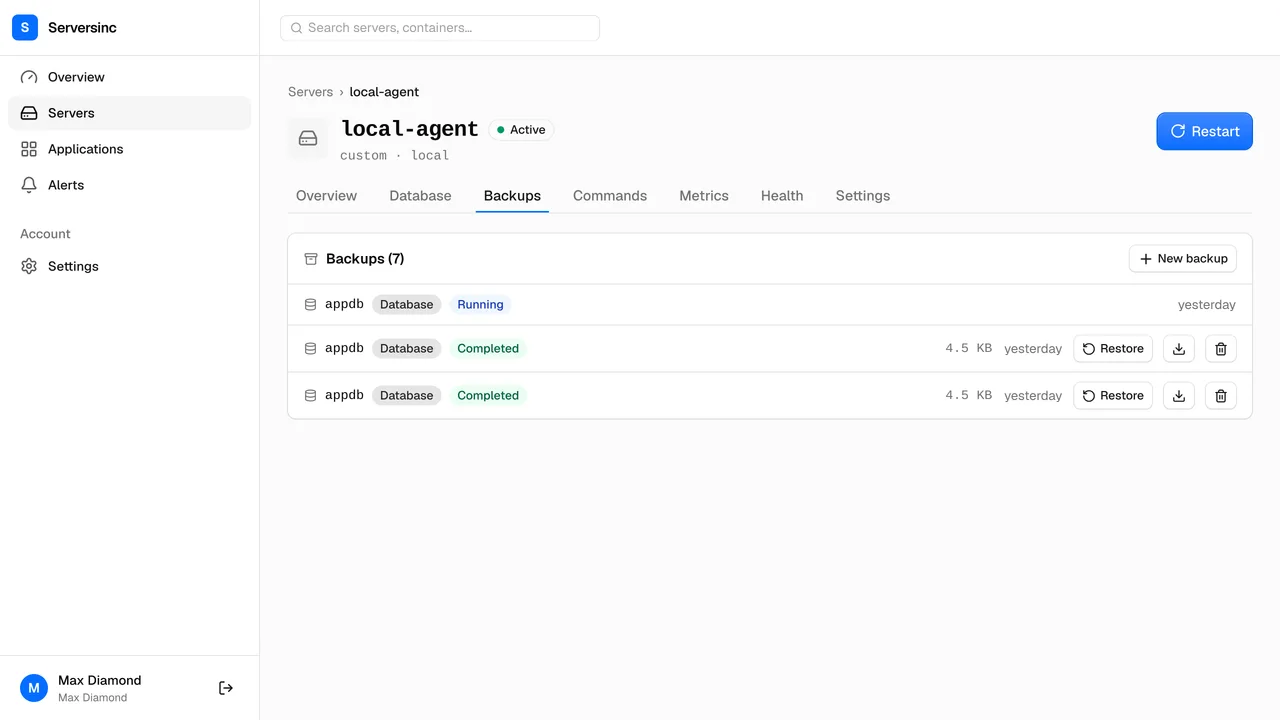
What the backup system actually does
Sources
Databases and volumes
Dump a database or archive a container volume straight to your bucket, source to storage in one hop.
Destinations
Any S3-compatible bucket
AWS S3, Cloudflare R2, Backblaze B2, DigitalOcean Spaces, or anything that speaks the S3 API.
Scope
Whole instance or pick databases
Back up every logical database plus globals, or name just the ones you want.
Restore points
Every run is restorable
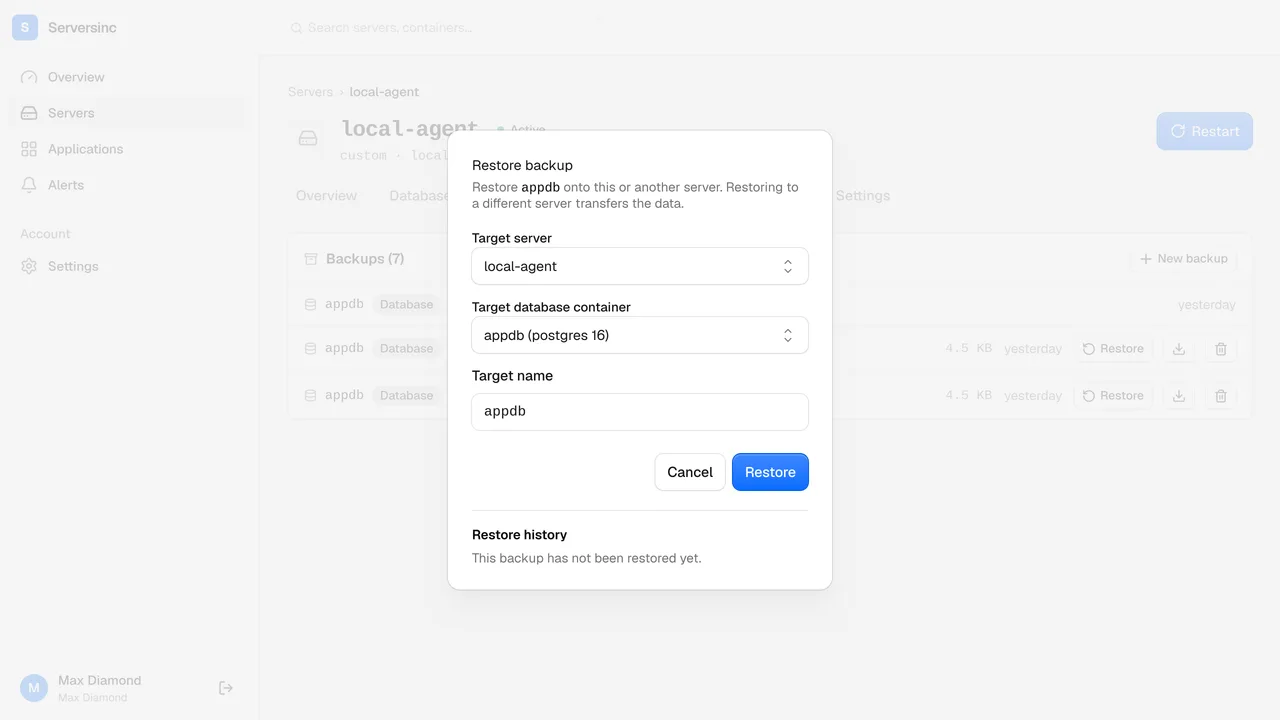
Restore any completed run in place, or drop it onto another server entirely.
Credentials
Your storage keys
Access keys are stored encrypted and only ever write to the one bucket you named.
Integrity
Checksummed runs
Every run records its size and SHA-256, so you know exactly what landed in the bucket.
Storage
Connect a bucket once, reuse it everywhere
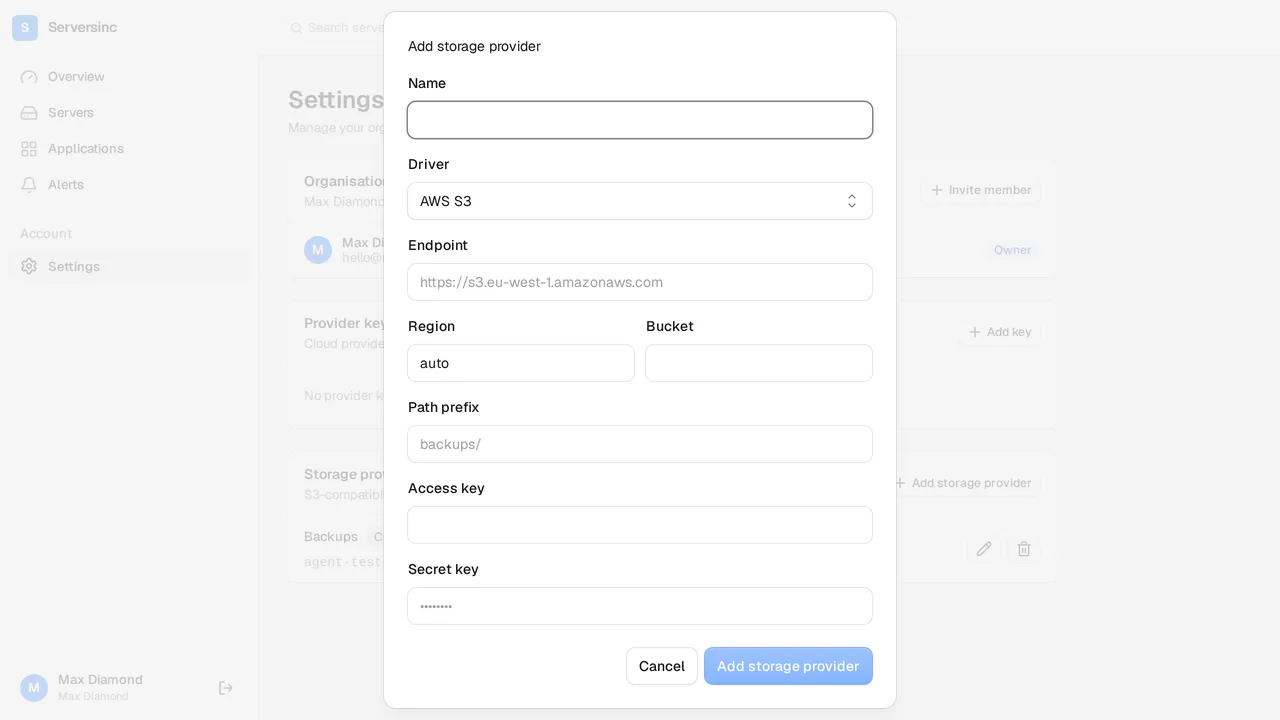
A storage provider is an S3 endpoint plus a key pair. Add it once, verified on save, and any backup can write to it.
- Endpoint, region, bucket and access keys, stored encrypted
- Works with AWS S3, Cloudflare R2, Backblaze B2, DigitalOcean Spaces and other S3-compatible stores
- One provider can back several servers and applications
Backups
Every run is a restore point
The backups tab lists every run with its status, size and age. A restore is picking one off the list and pulling the trigger.
- Restore in place, or transfer a copy to another server
- Engine and major-version checks run before a restore starts
- A failed run tells you which stage broke and why, instead of failing quietly
Automation
Back up from the API
Trigger a backup, list restore points, restore, all through the API. Wire it into a CI job and back up on whatever schedule you already keep there.
curl -X POST \
  https://api.serversinc.io/v1/servers/$SERVER_ID/backups \
  -H "Authorization: Bearer $SERVERSINC_TOKEN" \
  -H "Content-Type: application/json" \
  -d '{
    "type": "database",
    "database": "appdb",
    "storage_provider_id": "01HV2J3K4M5N6P7Q8R9S0T1U2W"
}'curl -X POST \
https://api.serversinc.io/v1/servers/$SERVER_ID/backups/$BACKUP_ID/restore \
-H "Authorization: Bearer $SERVERSINC_TOKEN" \
-H "Content-Type: application/json" \
-d '{
"target_server_id": "01HV2J3K4M5N6P7Q8R9S0T1U2X",
"target_name": "appdb_restored"
}'Serversinc, or a cron job and a prayer at 3am
What changes when a backup is a dashboard action, not a script on each box.
| Feature | Traditional | Serversinc |
|---|---|---|
| Setup | Write a dump script, add it to crontab on each box | One trigger from the dashboard, the API or CI |
| Destination | Hand-rolled aws s3 cp, hope the keys are right | A storage provider you wire up once |
| Integrity | Did the tarball even finish? Check by hand | Every run carries its size and SHA-256 |
| Visibility | Check the bucket to see if last night ran | Every run on the board with its status, size and age |
| Failure | Silent until you need the backup | A failed run names the stage that broke, and why |
| Restore | Remember the exact steps under pressure | Pick a run, restore it, in place or onto another box |
FAQs
Set up your first backup
Wire up an S3-compatible bucket, then back up a database or volume to it in one call. The bucket stays yours.