The control plane has arrived

Snap into a server that runs itself

Forget the SSH session. Forget the runbook. One command turns a plain server into a platform: push to a branch and it ships, watch it from one screen, and the bill holds flat when the traffic spikes.

£5/mo for 3 servers. The bill stays yours.

dash.serversinc.io
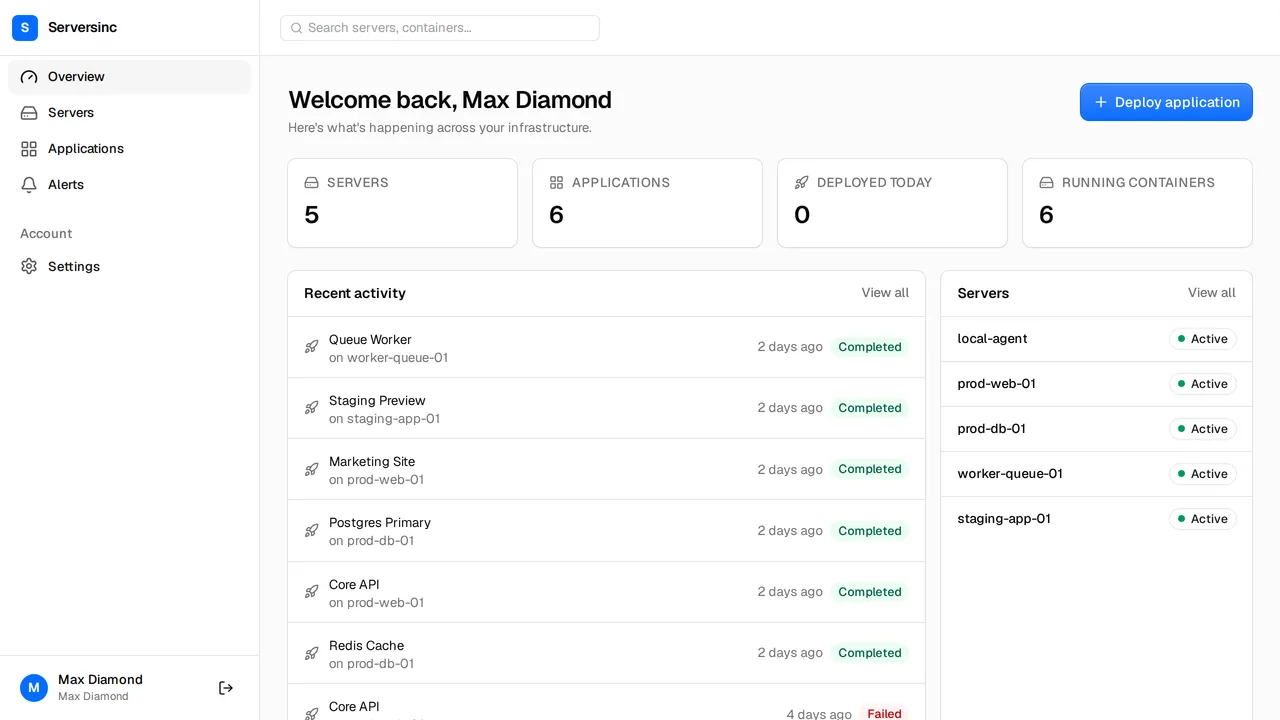
The Serversinc dashboard showing server and application counts, a health summary, and recent deployment activity

One command on the box. The platform takes it from there.

Provision

Any cloud provider

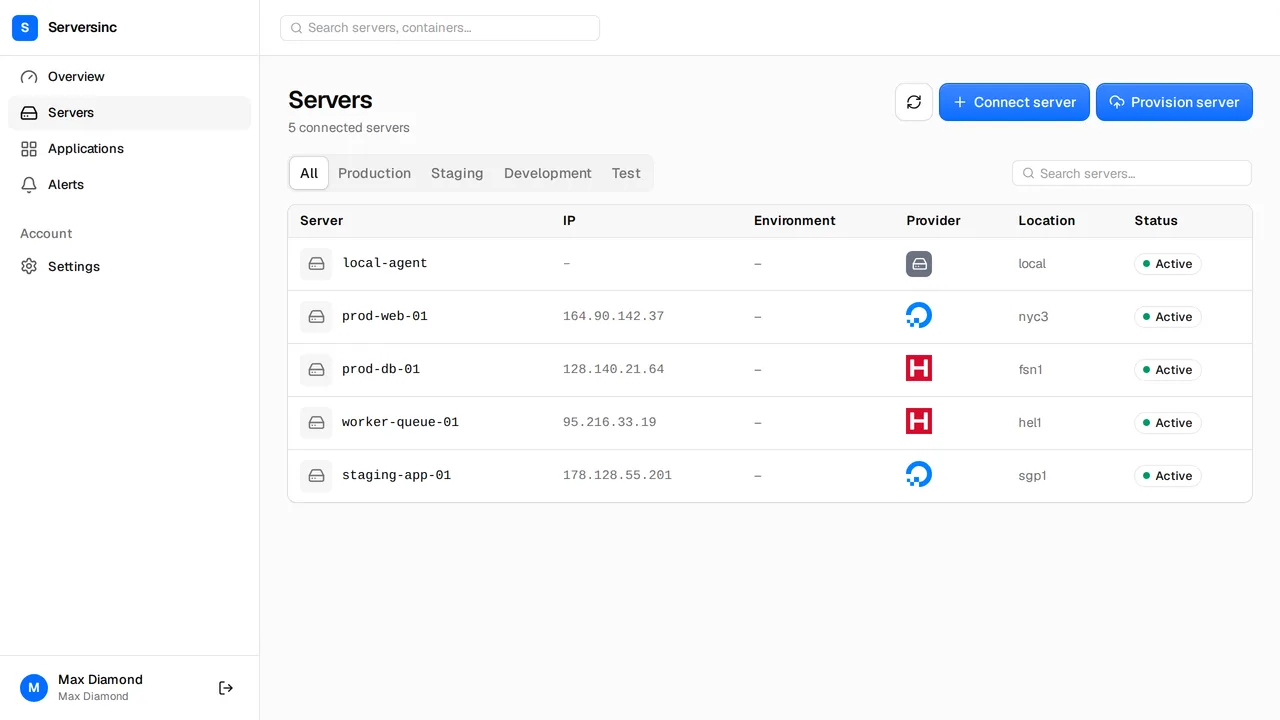
Create a server with your own provider key. The machine is yours, the bill is yours, we just run it.

Import

Any Linux server

Bare metal, a VPS, a box already serving traffic. One command and it falls in line.

Deploy

GitHub or a Docker image

Rebuild on push from a connected branch, or pull a tagged image from a registry. Either way, it just ships.

Strategy

Rolling or recreate

Rolling swaps containers without dropping a request. Recreate is the fast path when downtime is fine.

Routing

Traefik with automatic TLS

Every new container comes up on HTTPS the moment it starts, routing and certificate already handled.

Control

REST API and the sinc CLI

Every button in the dashboard is a documented API call, and the CLI wraps the same ones. Same objects, same auth.

Three steps. Then the cream rises to the top.

One install sets the box up end to end. You bring the app, the platform brings everything around it.

  1. 01

    Connect a server

    Run one command on a box you already have, or provision a new one with your cloud provider key. The platform sets itself up before your coffee is cold.

    sinc servers import

  2. 02

    Create an application

    Point at a repository or an image, set your variables and volumes, then pick a deploy strategy. Easy money.

    sinc applications new

  3. 03

    Watch it run

    Metrics and logs stream back from every server. Failed builds and unexpected stops turn into alerts before they turn into a bad night.

    sinc containers logs <id>

Servers

Harden the host without ever opening a config file

Every server gets a health tab: the checks you would otherwise script yourself at midnight, each one a toggle.

  • Root SSH login, unattended upgrades, Fail2Ban and NTP time sync in one panel
  • Firewall with an explicit list of open ports, managed here instead of in iptables
  • CPU, memory, disk and network metrics, with thresholds that raise alerts
dash.serversinc.io/servers/vps-100/health
The server health tab with toggles for root SSH login, automatic updates, Fail2Ban, time sync and the firewall

Applications

Deploy from a repo, a registry, or your own pipeline of pain

An image plus everything around it: variables, volumes, networks, ports and labels. The whole tower of power.

  • Push to a connected branch and Serversinc rebuilds and redeploys
  • Every deployment keeps its logs, so a rollback is a version you can read first
  • Start, stop, restart, rename or change the domain from here
dash.serversinc.io/applications/test-nginx
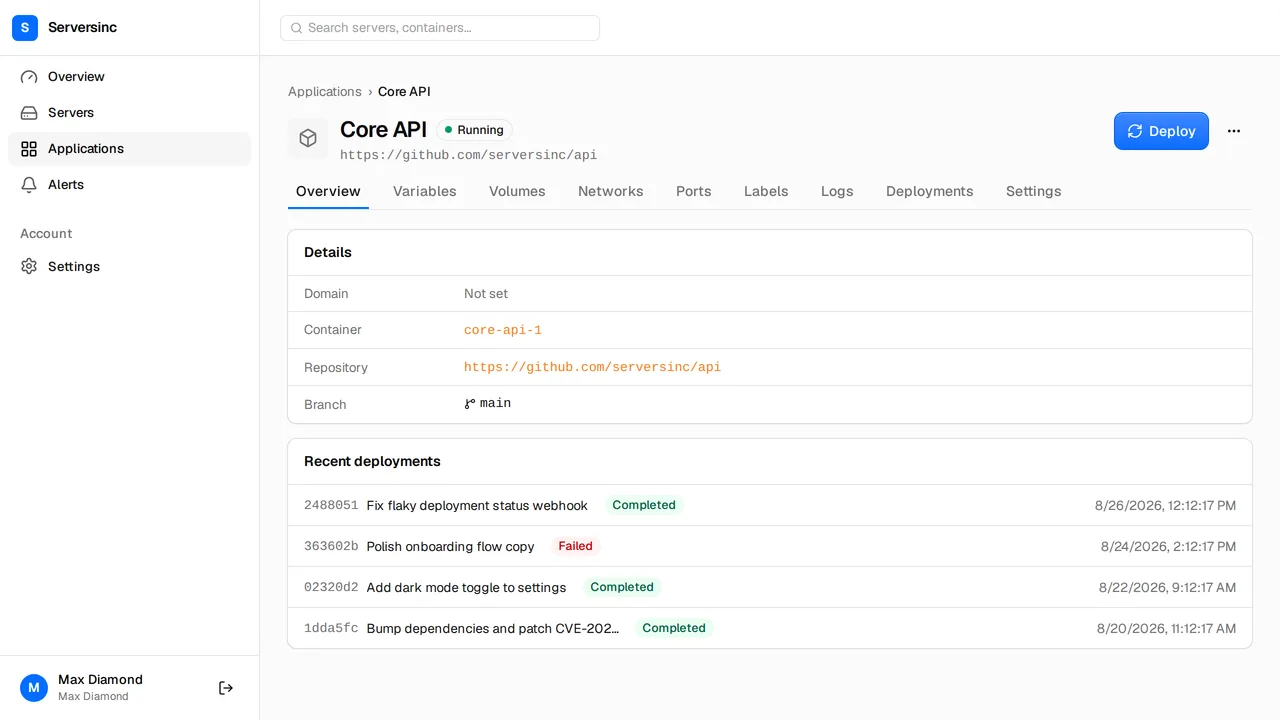
An application detail page showing image, tag, repository and resource limits, with a power menu offering start, stop, restart, rename and change domain

Commands

Run every command. Keep every receipt.

Send it through Serversinc. It runs on the box, captures every line of output, and writes down who asked. The 'who ran this?' era is over.

  • Destructive commands ask for confirmation first
  • Full history per server, failures and their output included
  • The same from your terminal with sinc servers exec
dash.serversinc.io/servers/vps-100/commands
A server command history table listing the command, who ran it, when, and its status

Automation

The dashboard is one client. The API is the whole arena.

Features ship on the API first, so anything you can click you can also call. Every endpoint is public, documented, and there before the UI catches up.

deploy.sh REST
curl -X POST https://api.serversinc.io/v1/applications \
  -H "Authorization: Bearer $SERVERSINC_TOKEN" \
  -H "Content-Type: application/json" \
  -d '{
    "name": "api",
    "type": "github",
    "repository": "https://github.com/acme/api",
    "branch": "main",
    "server_id": "01HV2J3K4M5N6P7Q8R9S0T1U2V",
    "deploy_strategy": "rolling"
  }'
terminal CLI
$ sinc servers list
NAME      PROVIDER  REGION      STATUS  IP
vps-100   custom    eu-central  active  54.36.250.186

$ sinc deploy 01HV2J3K4M5N6P7Q8R9S0T1U2W
Deployment queued, following logs.
  Starting deployment for api on vps-100 using ROLLING strategy
  Pulling image
  Starting new container
  Retiring previous container
  Deployment complete

Pricing

We meter one thing: how many servers

One line on the invoice: the servers we manage. Build minutes, bandwidth and seats are all on the house.

Base

£5 / month

Your first three servers, plus the dashboard, API and CLI.

Each server after that

£2 / month

Prorated as your fleet grows and shrinks.

1 to 3 servers

£5 / month

The base fee, nothing on top.

5 servers

£9 / month

Base plus two.

10 servers

£19 / month

Base plus seven.

Serversinc, or a folder of shell scripts and broken dreams

What changes when the control plane is a platform, not your terminal history at 3am.

Feature Traditional Serversinc
Access SSH into each server, one at a time One dashboard, one API, the whole roster
First deploy Install Docker, write a compose file, configure a proxy, wire up TLS One command, and the box is production-ready.
Deployments Pull the repo on the box, rebuild, restart, hope Push to a branch. Walk away.
Rollbacks Redeploy an older image, if you kept one Redeploy any version you ever shipped
Monitoring Pick a stack, install it, maintain it forever Metrics, logs and alerts, in the box already
Hardening A runbook you stopped following Toggles for SSH, updates, Fail2Ban and the firewall
Audit trail Whatever survived in .bash_history Every command, its output, and who ran it

FAQs

Your first server is one command away

About a minute later it is in your dashboard, wired up and ready to deploy to. Rather read first? The docs cover importing, deploying and alerts.