


Just now
Disk usage on / crossed > 80%
Disk usage on / held > 80% for 10m (at 87.4%).
- Metric
- disk
- Observed
- 87.4
- Threshold
- 80
- Window
- 10m
Hardening gaps, pending updates, filling disks and failed deploys reach you by email, Slack or webhook, with the server and the app named.
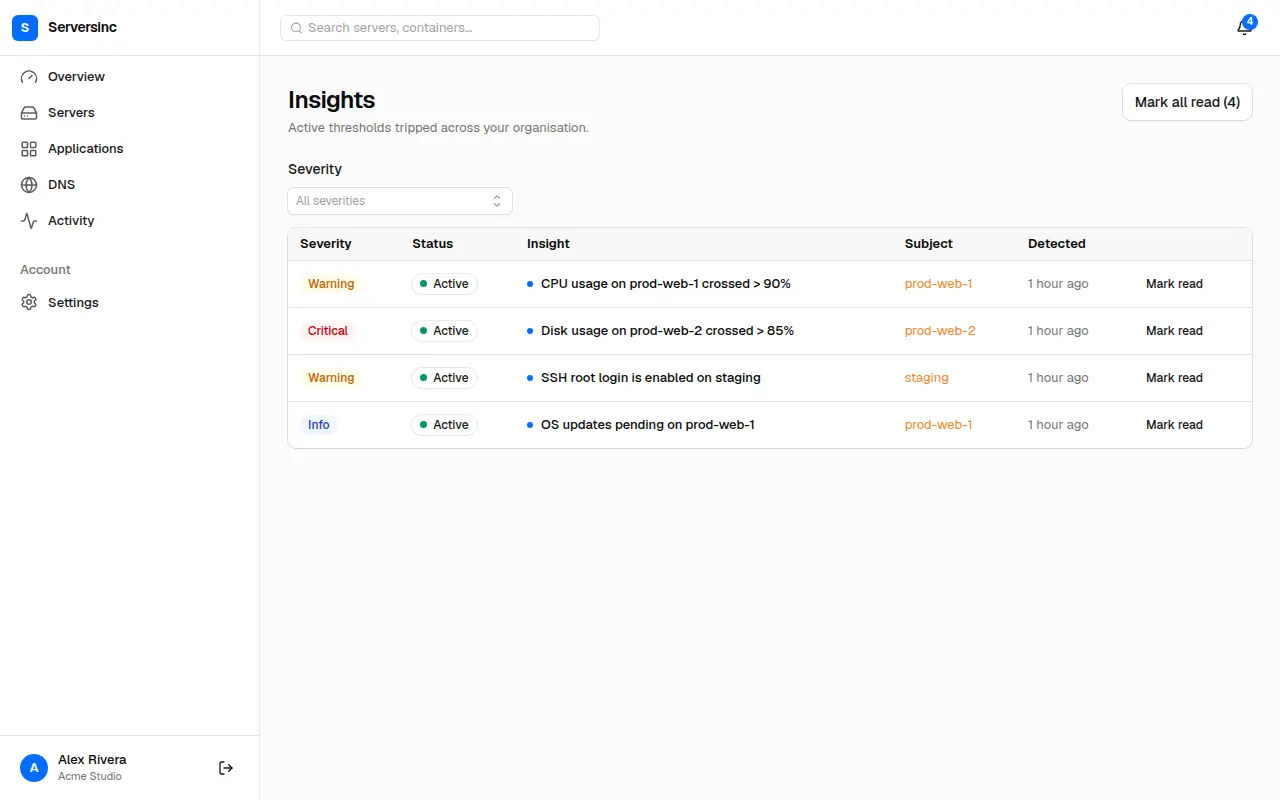
Checks start when a server connects. When one needs you, you hear by email, Slack or webhook.
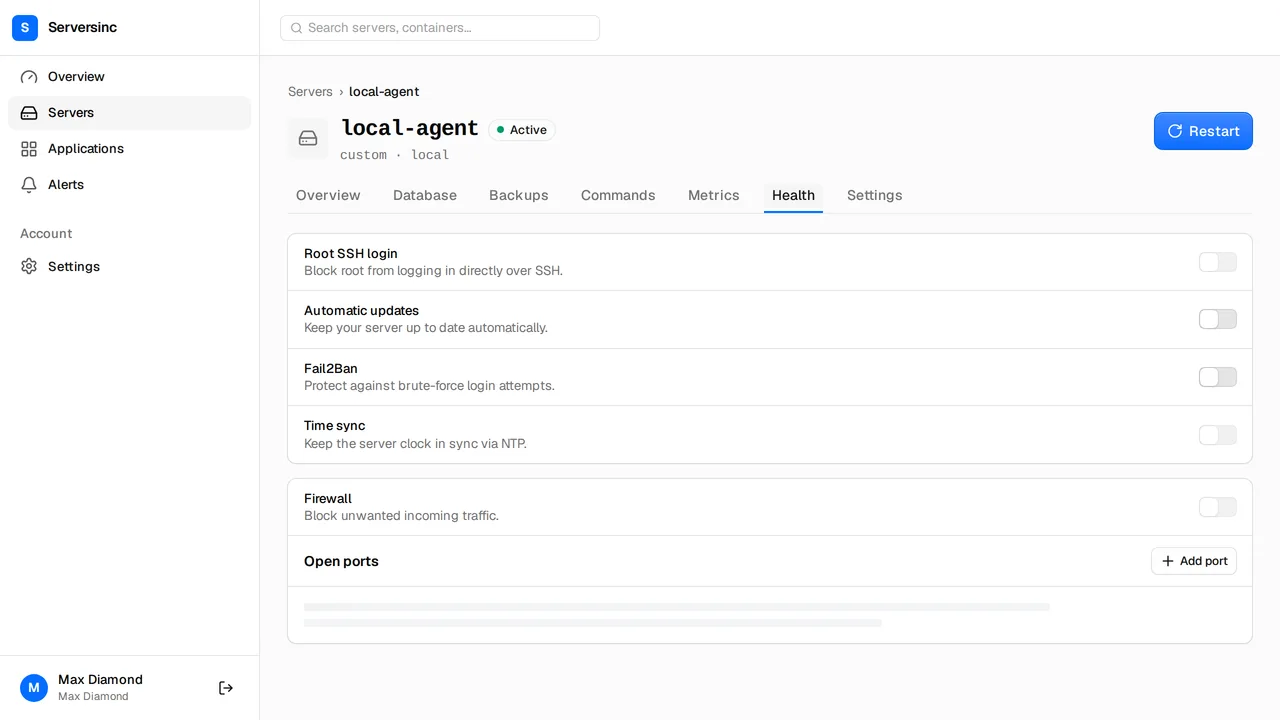
Every server is checked for SSH root login, Fail2Ban, the firewall, automatic updates and time sync.
Pending OS updates for every server, in one list.
Set thresholds for the whole organisation or for one server, and get alerted before a disk fills up.
You hear when a server goes offline or a container exits. The insight closes itself when it recovers.
Get told when a deployment fails, rolls back or times out, with the server and application named.
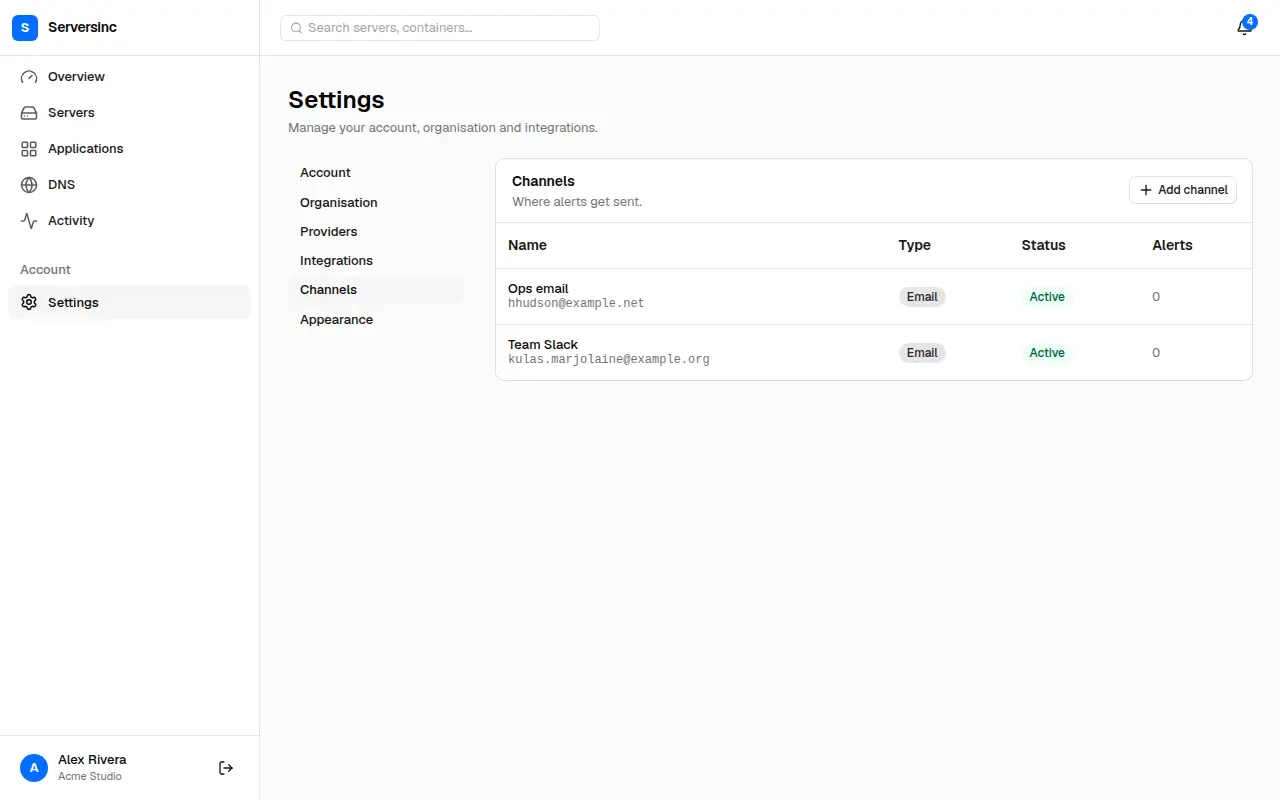
Email, Slack or a webhook. Serversinc tells you when a channel stops delivering.
Serversinc runs the deploys, the backups and the servers under them, and speaks up when one needs a human. A release rolls back, a backup misses, a disk creeps past 80%: you hear about it in Slack with the server and the app named, while it's still a small fix.
Catch issues while they're still boring.
Disk usage on / held > 80% for 10m (at 87.4%).
The deployment of core-api rolled back.
Disk usage on /var/lib/docker held > 80% for 10m (at 91.2%).
The database backup failed.
Disk usage on / is back within > 80% (now 62.5%).
Serversinc checks SSH root login, Fail2Ban, the firewall, automatic updates and time sync on every server, and grades what needs attention. Change firewall ports and Fail2Ban from the dashboard.
Each channel shows its status, so you know when a webhook stops delivering.
Connect a server and its checks start on their own. The servers stay on your provider and your bill. £5 a month covers the first three.