


From repo to running container.
Push to GitHub or point at an image. Serversinc ships it, checks it's healthy, and rolls it back if it isn't.
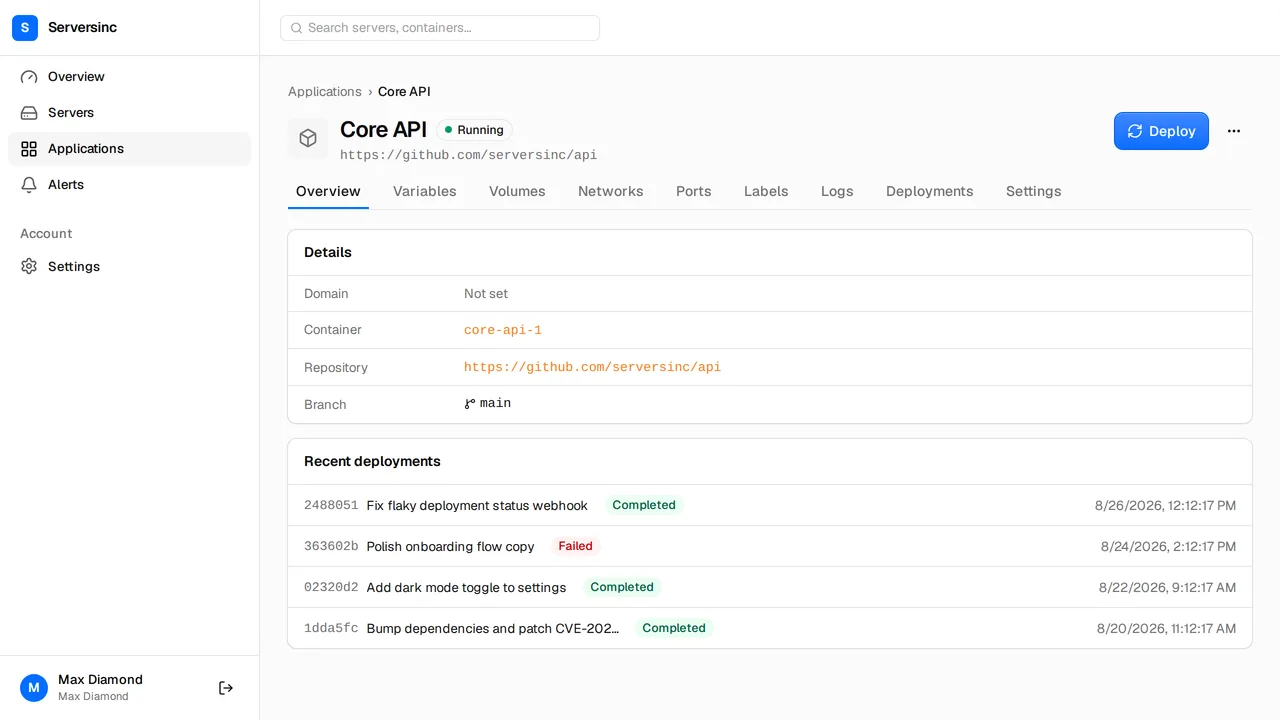
Push your code. Serversinc builds and runs it.
From a push or an image to a running container, with a rollback when a health check fails.
Build from GitHub
Connect a repository and branch. Serversinc builds the image for you, so there's no build server to run.
Deploy a registry image
Deploy any image from a public or private registry.
Rolling or recreate
Use rolling deploys to avoid downtime, or recreate when two versions can't run at the same time.
Rollback on a failed health check
If the new version fails its health check, Serversinc removes it and runs the previous one, so a bad release doesn't take your app down.
Env vars, labels, volumes, ports
Set them per application. Secret values are hidden once saved.
CPU and memory caps
Cap CPU and memory per application, so one busy app can't starve the others on the server.
A deploy URL for CI
Each application gets a deploy URL with its own key and secret. Call it from any CI pipeline to deploy.
Application and container logs
Read container output and deployment logs in the dashboard, without SSH.
A failed health check rolls the release back.
On a rolling deploy, the new container has to answer its health check before the old one stops. If it never does, Serversinc discards it and the release you had keeps serving.
- Creating new container
- New container 4f2a9c81d0b7 started
- Waiting for /up on port 3000 to respond
- New container is healthy
- Stopping old container 9b13e0c47a52
- Removing old container 9b13e0c47a52
- Deployment completed
- Creating new container
- New container c7e15a3b92f0 started
- Waiting for /up on port 3000 to respond
- New container exited before it became healthy
- New container did not become healthy — rolling back
- Discarding new container c7e15a3b92f0
Reason: new container failed its health check
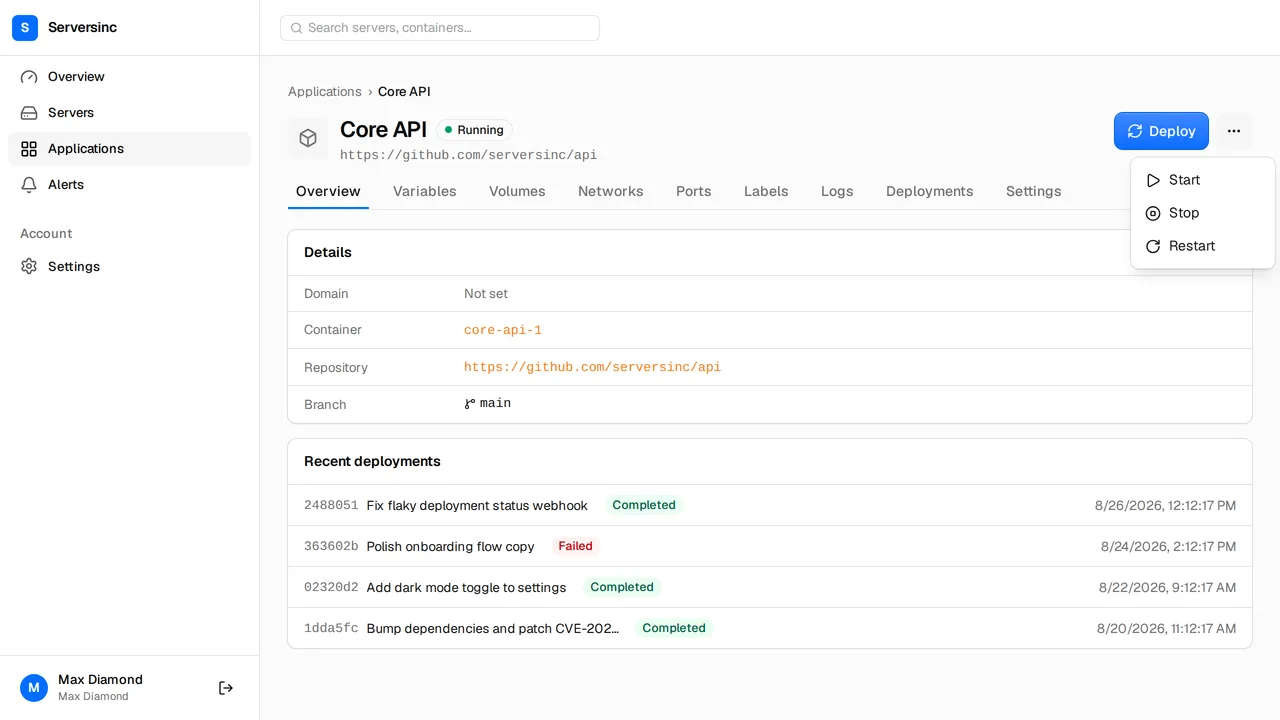
Start, stop, restart
Power an application on or off from the dashboard or the API, and read its logs.
- Restart a stuck application in one click
- Container and deployment logs next to the controls
Deploy from CI with one API call.
Call the deploy trigger with an application's key and secret, or start a deployment with an API token.
curl -X POST \
  https://api.serversinc.io/v1/applications/$DEPLOY_KEY/trigger \
-H "X-Deploy-Secret: $DEPLOY_SECRET"curl -X POST \
https://api.serversinc.io/v1/deployments \
-H "Authorization: Bearer $SERVERSINC_TOKEN" \
-H "Content-Type: application/json" \
-d '{ "application_id": "$APPLICATION_ID" }'The things worth asking first.
Ship your first application.
Connect a repository or point at an image, pick a server, and deploy. The servers stay on your provider and your bill. £5 a month covers the first three.