


Backups land in a bucket you own.
Schedule backups of databases and volumes to an S3-compatible bucket on your account. Restore them in place or to another server.
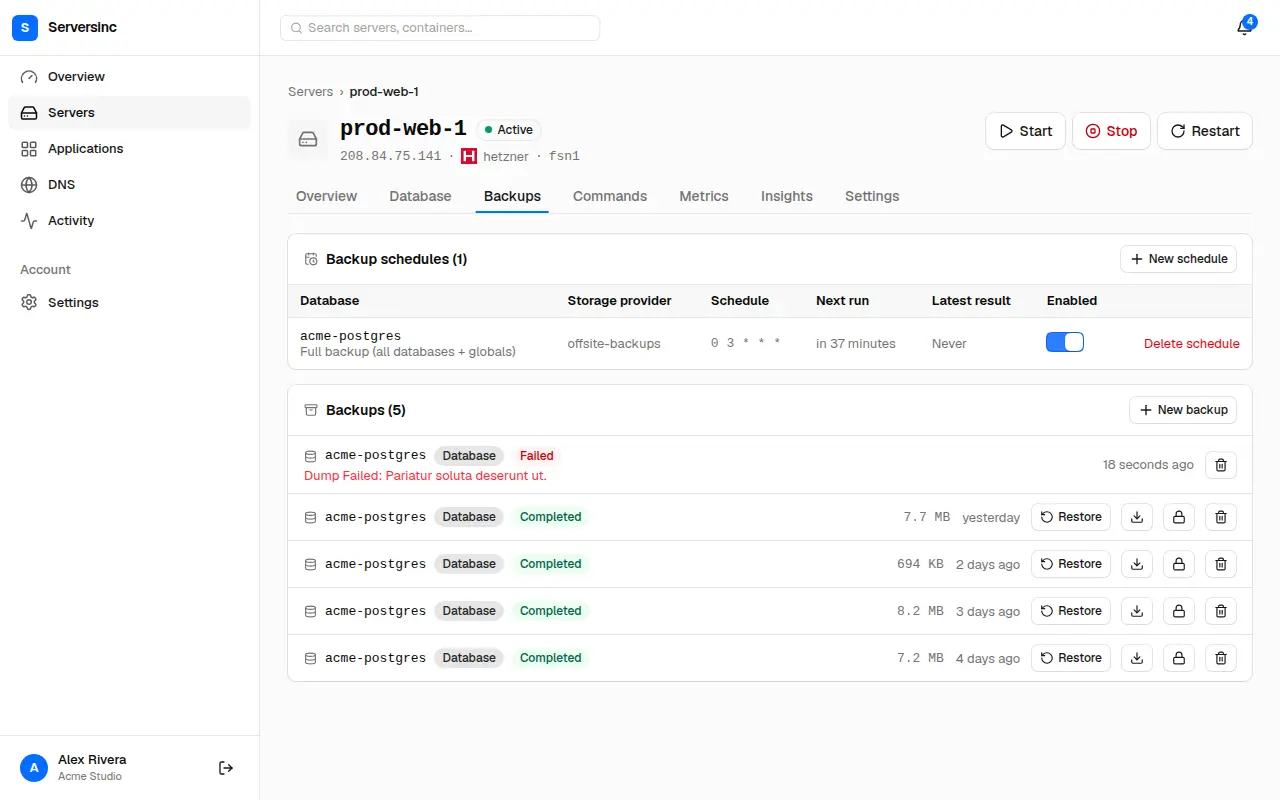
Databases you don't have to babysit.
Postgres, MySQL and MariaDB on your servers, backed up on a schedule to a bucket you own.
Postgres, MySQL and MariaDB
Provision an instance, then manage its users, schemas and access from the dashboard. You never need to open a shell.
Scheduled backups
Back up on any cron schedule. Old backups are pruned by age or count, and backups you lock are never deleted.
Databases and volumes
Each database is exported with its engine's own dump tool, so it restores cleanly. Volumes are archived in full.
Any S3-compatible bucket
Bring any S3-compatible store. Serversinc tests the connection when you save it, so a wrong key shows up straight away.
A whole instance or chosen databases
Back up the whole instance with its roles, or only the databases you choose.
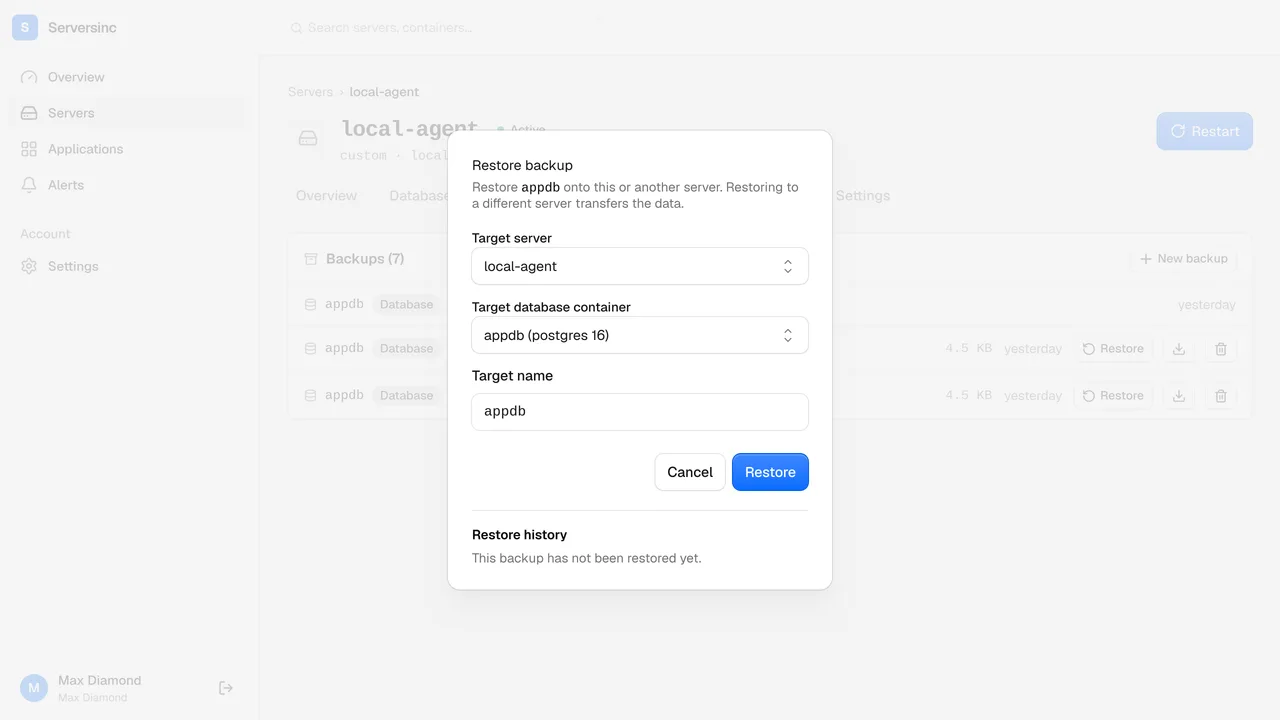
Restore in place or to another server
Roll a database back in place, or restore it onto another server to clone or move it.
Encrypted storage keys
Your bucket's access keys are encrypted at rest.
Checksummed runs
Each run records its SHA-256 checksum, so you can check a backup is intact before you restore it.
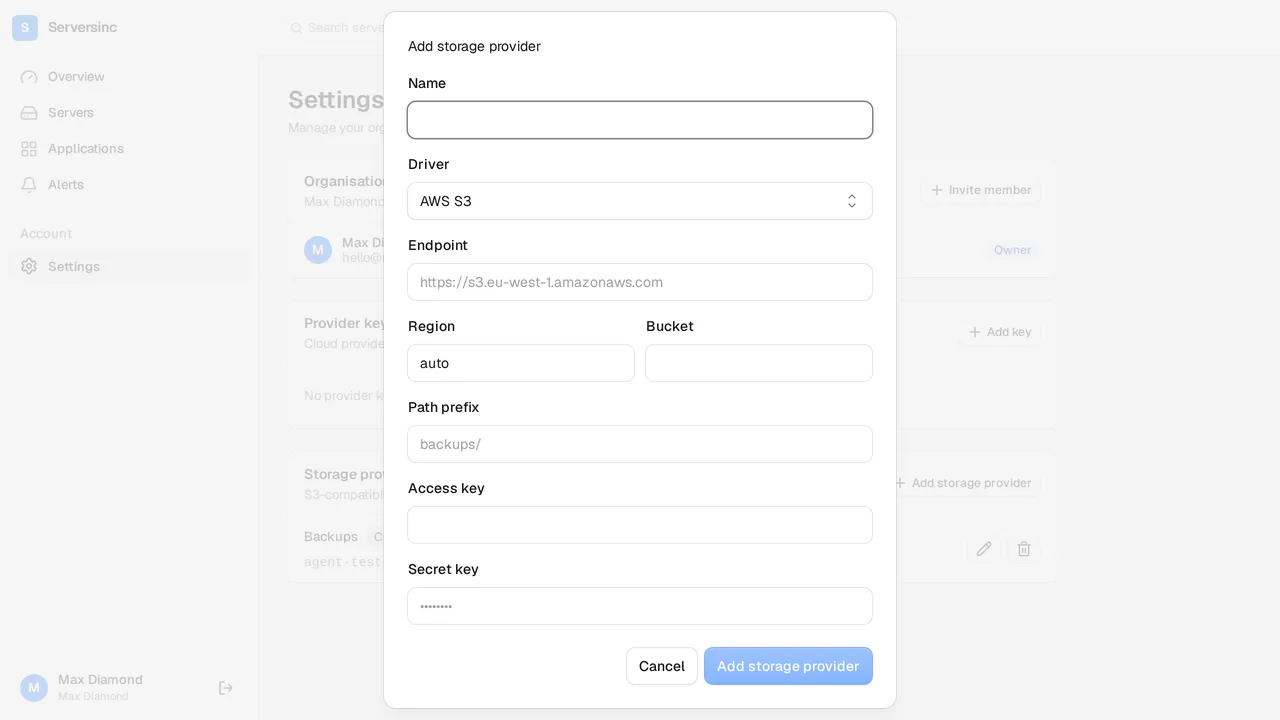
Backups go to storage you control
Add your bucket once and every server can back up to it. Serversinc tests the connection when you save, so you find a wrong key straight away, not when a backup fails.
- Access keys are encrypted at rest to keep your bucket's contents secure
- Works with any S3-compatible storage provider, such as AWS
- Backups stream directly from your server to your bucket and don't touch our servers
Backup runs and restores
Every run shows its status, size and age, so you can see when the last successful backup ran.
- Restore in place, or onto another server to clone or migrate
- Version checks run before every restore, so a backup never lands on a database that can't read it
- When a run fails, you see the stage and the reason, so you can fix it before the next one
The things worth asking first.
Set up your first backup.
Add an S3-compatible bucket, then back up a database or volume to it on a schedule. The servers stay on your provider and your bill. £5 a month covers the first three.