



Applications
Deploy and manage containerized workloads from images or GitHub repositories.
An application is the saved definition of a workload on one server. It describes where the workload comes from, how its container should run, and how Serversinc should replace it during a deployment.
A deployment applies that definition. The resulting container is the running instance you inspect, restart, and read logs from.
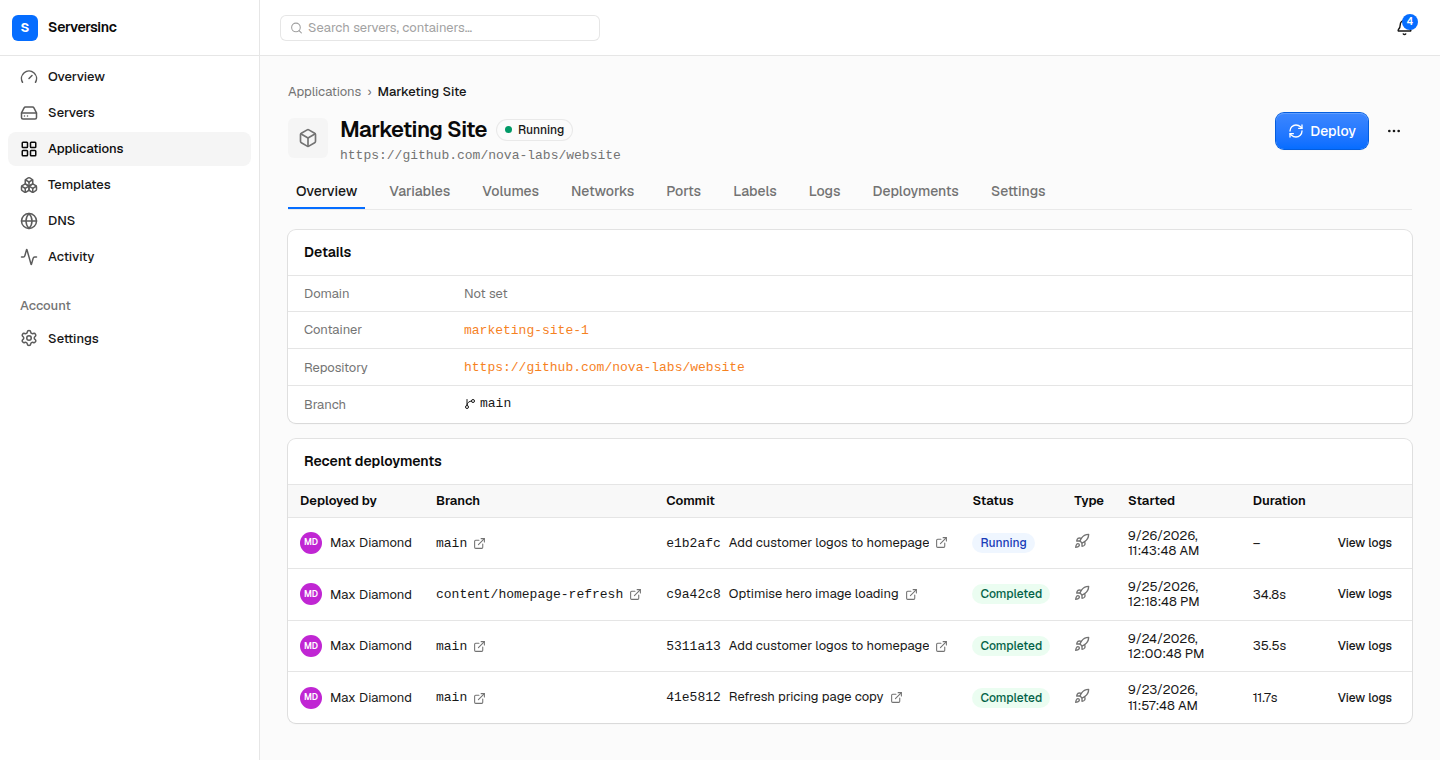
An application keeps its source, runtime details, and deployment history together.
In this section
Section titled “In this section”- Deploy an application: Sources, strategies and rollouts.
- Configure an application: Env vars, volumes, networks, ports and limits.
- Deployments and logs: Read logs, start, stop and restart.
- Deploy triggers: Deploy from CI.
To route a domain to an application, see Domains and networking.
Next steps
Section titled “Next steps”- Servers: inspect the host running the application.
- Databases and backups: add persistent services and backups.
- Automation: trigger deployments from CI, the API, or MCP server.
- Reference: check deployment lifecycle and application settings.