



Operate a server
Connect, provision, run commands on, and manage the machines that run your applications.
A server is a machine that Serversinc manages. You can connect a server you already run or have Serversinc provision one through a supported cloud provider.
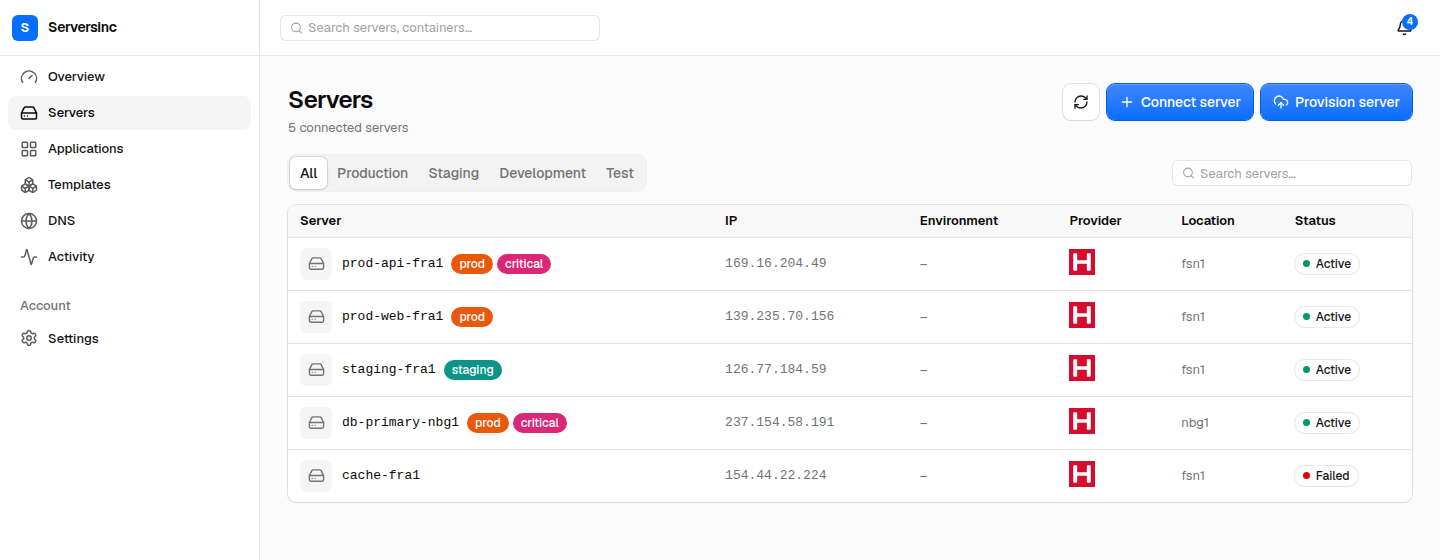
The server list shows each server’s environment, provider, location, and status.
In this section
Section titled “In this section”- Provision from a provider: create and prepare a new machine.
- Connect an existing server: connect an existing machine.
- Commands and schedules: run, schedule, and audit shell commands.
- Server settings: identity, firewall, build server, backup retention, and disconnecting.
- The agent: what runs on the server, its permissions, and how it talks to Serversinc.
For monitoring and health checks, see Insights.
Next steps
Section titled “Next steps”- Applications: deploy a workload to the server.
- Server backups: protect databases and Docker volumes.
- Provision a database: add a database instance to the server.