



Activity and billing
Review who changed what, manage billing, and hide sensitive data.
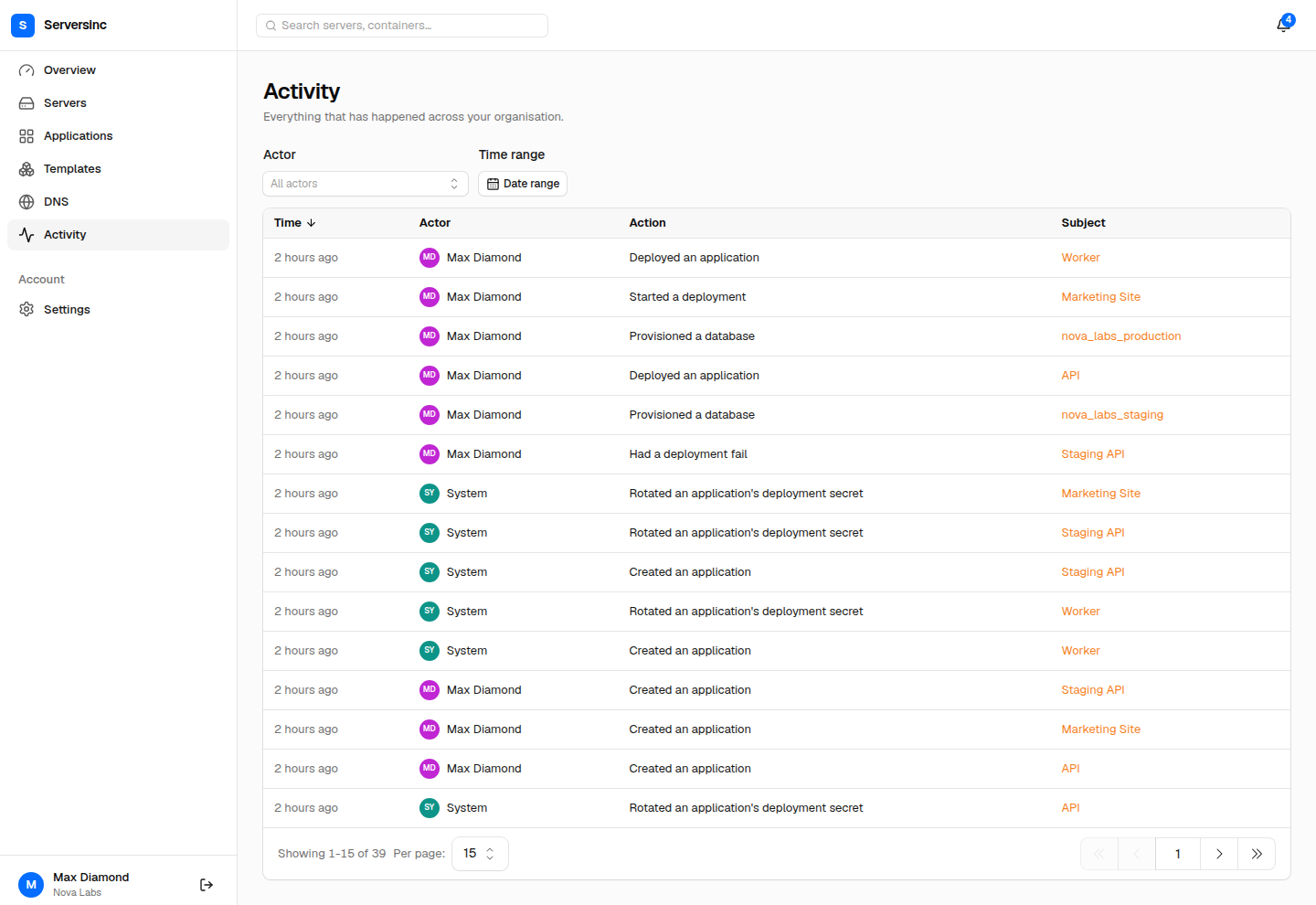
The activity feed lists each change with its actor, action, subject, and time.
Review organisation activity
Section titled “Review organisation activity”The activity feed records changes across the organisation. Each entry records the actor, the action, the affected resource, and the time.
To investigate a change:
- Open Activity and start with the approximate time of the event.
- Filter by the affected resource type.
- Compare the entry with the deployment, command, backup, or restore history on the resource itself.
Actions from a webhook or a background job may not show the user who started them. Check the resource’s own history for those.
Manage billing
Section titled “Manage billing”Billing belongs to the organisation. The billing page shows subscription status, managed server count, renewal or cancellation date, and invoices.
Use the billing portal to update payment details or manage the subscription. A past-due subscription restricts access until the open invoice is paid or the payment method is updated.
Hide sensitive data
Section titled “Hide sensitive data”The appearance settings can mask sensitive values, such as server addresses, in the dashboard. You can reveal a masked value temporarily where the interface allows it.
This is a screen-privacy preference, not an access-control boundary. Anyone with permission to the underlying resource may still retrieve it through another supported interface.