
Provision
Bring your own cloud. Keep your own bill.
Create servers with your cloud provider's API key. The machine is yours, the bill is yours, the rate you negotiated is yours. Serversinc manages your servers; your provider still sells the compute.
£5/mo for 3 servers. Provider charges are billed to you directly.
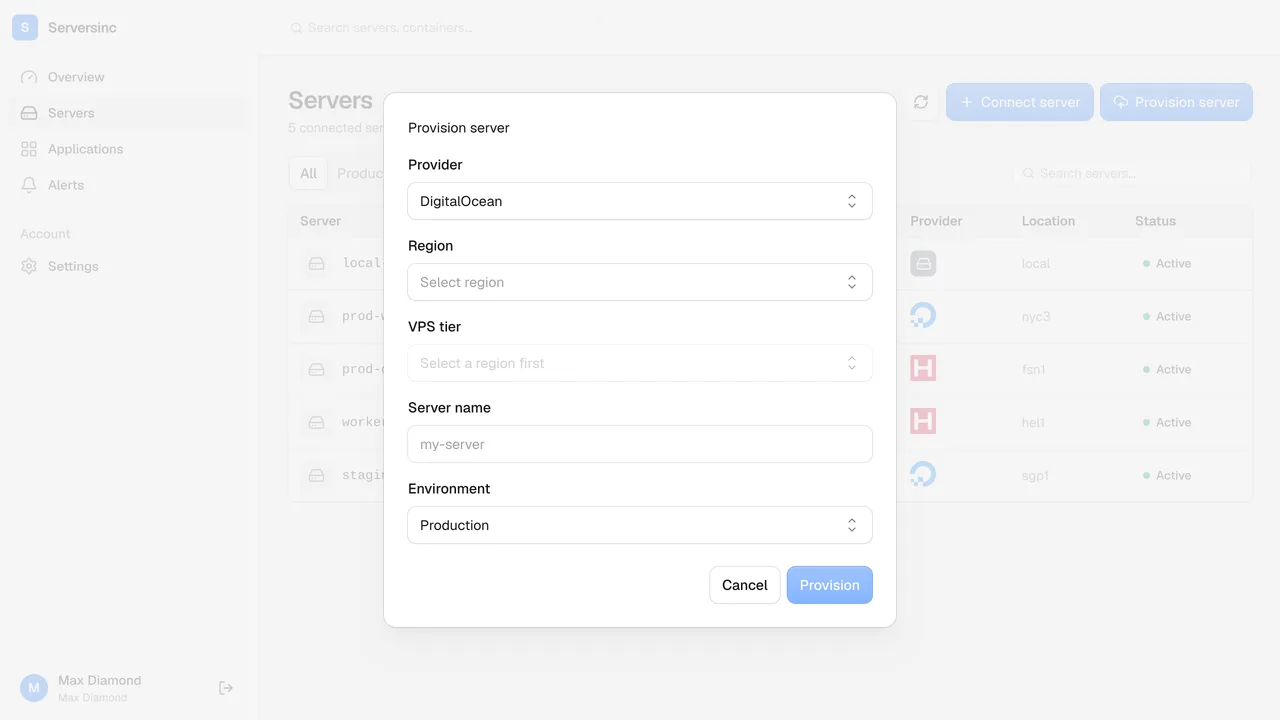
How a bare machine becomes a ready one
Keys
Your provider credentials
Add an API key per cloud account. Serversinc uses it for one job: creating the machines you ask for.
Spec
Region, size, image
Pick from your provider's catalogue. What you can buy from them, you can pick here.
Setup
Set up on first boot
Host setup, routing and certificates run the moment the machine boots. It lands ready to use.
Ownership
The bill is yours
Compute is charged by your provider at the rate you already have. The rate you negotiated is the rate you pay.
Import
Or bring an existing box
Already running servers? Skip provisioning. One command brings them in as they are.
Teardown
Destroy from the dashboard
Delete a server here and Serversinc tells your provider to release it, so the meter actually stops.
Provision
A new server without ever leaving the dashboard
Choose an account, a region and a size. Serversinc builds the machine and sets it up end to end before it even shows up in your list. It lands ready.
- One API key per cloud account, stored encrypted
- Region and size come straight from your provider's catalogue
- Ready to deploy to the second it appears, no follow-up steps
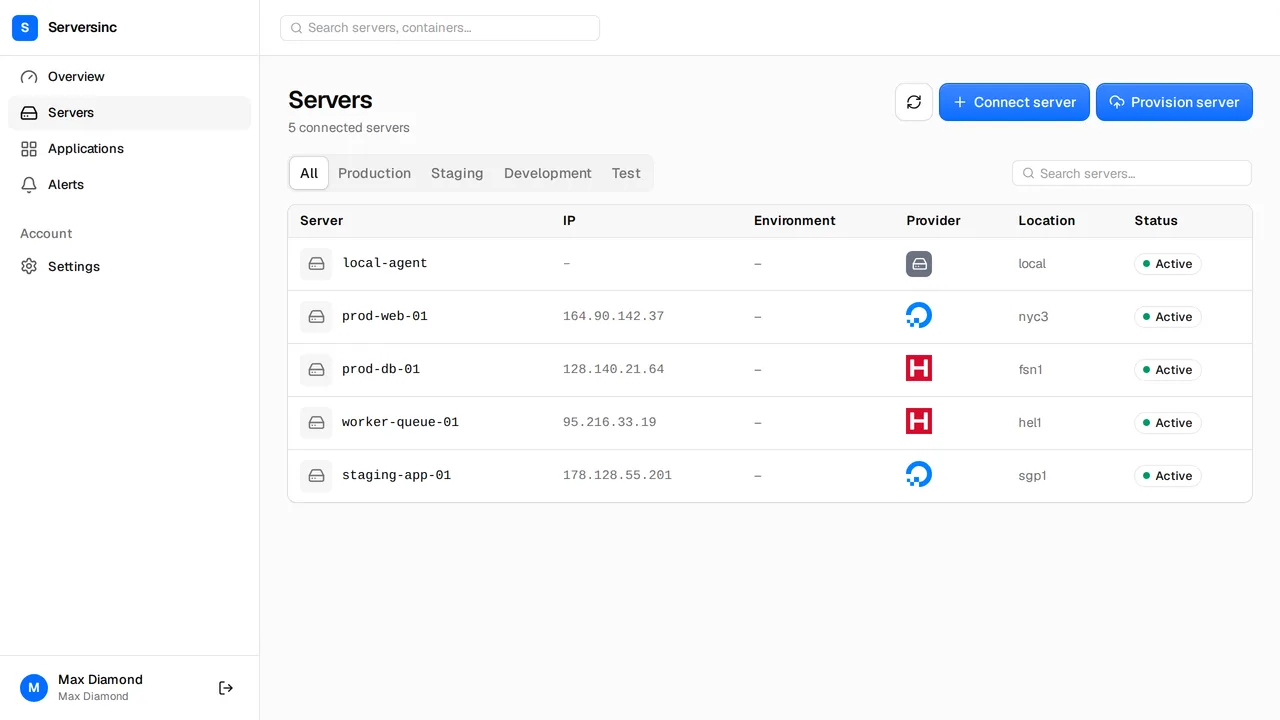
Import
Already running servers? They come as they are.
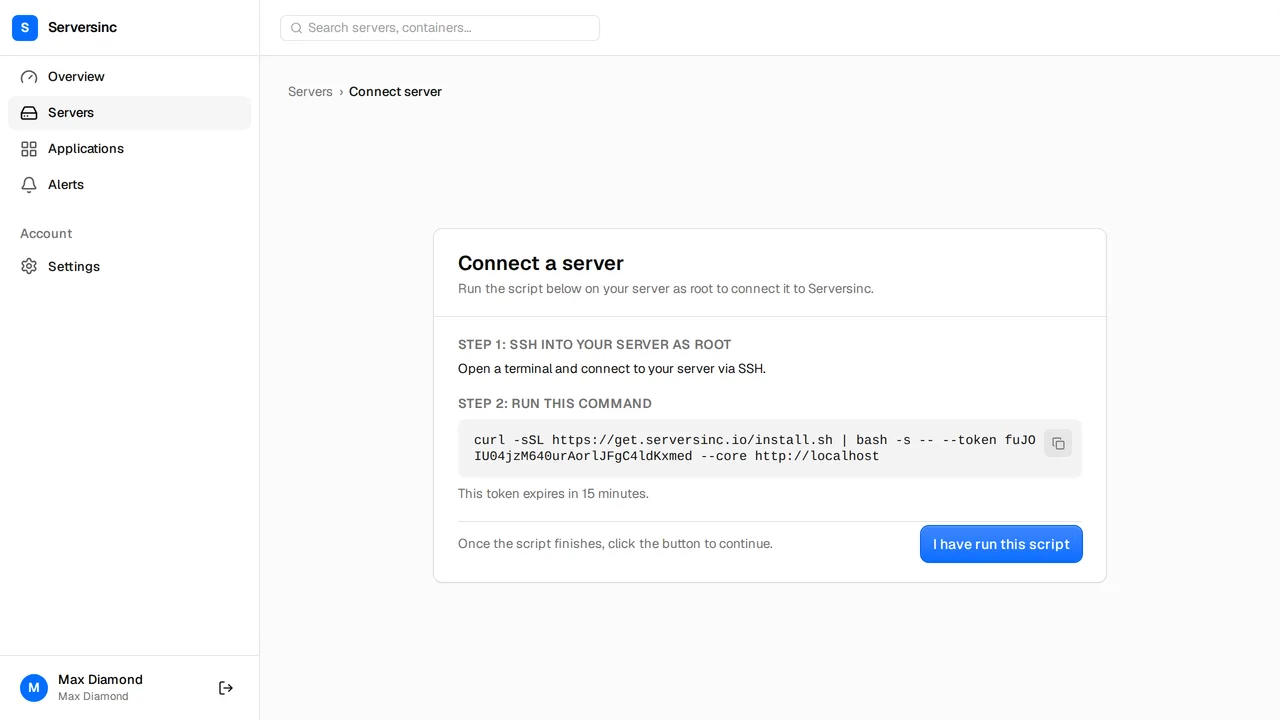
Provisioning is optional. A box you already run connects the same way a fresh one does.
- One command on bare metal, a VPS, or a machine already serving traffic
- Serversinc installs alongside what is already running and leaves it in place
- Imported and provisioned servers behave identically from then on
Automation
Provision a whole fleet from a script
Server creation is an API call like everything else. Stand up a whole fleet from CI, or from the sinc CLI, without ever touching a console.
curl -X POST https://api.serversinc.io/v1/servers \
  -H "Authorization: Bearer $SERVERSINC_TOKEN" \
  -H "Content-Type: application/json" \
  -d '{
    "provider_credential_id": "01HV2J3K4M5N6P7Q8R9S0T1U2V",
    "region": "eu-central",
    "size": "medium",
    "name": "vps-101"
}'$ sinc servers create --account acme-cloud --region eu-central --size medium
Creating vps-101, this takes a minute.
Machine requested from provider
Waiting for SSH
Installing Docker and Traefik
Server onlineServersinc, or the provider console and a checklist
What changes when new machines come up configured, not bare.
| Feature | Traditional | Serversinc |
|---|---|---|
| Credentials | Console logins shared around the team | One encrypted API key per account, yours alone |
| First boot | SSH in, install Docker, configure a proxy, wire TLS | Configured and ready before it appears |
| Billing | Managed consoles add their own margin | Provider bills you at your rate, straight through |
| Existing servers | The console only knows what it created | Import a running box the same way |
| Teardown | Remember to destroy it or keep paying | Delete here and the meter stops |
FAQs
Provision your first server
Add a cloud account, pick a region and a size, and Serversinc builds the machine while you watch. Or import one you already run. Same result either way.