
Servers
The whole fleet on one screen. Close the SSH tab graveyard.
Every server you own or import, lined up in one dashboard. Metrics, shell access and host hardening, all run from the browser.
£5/mo for 3 servers. The bill stays yours.
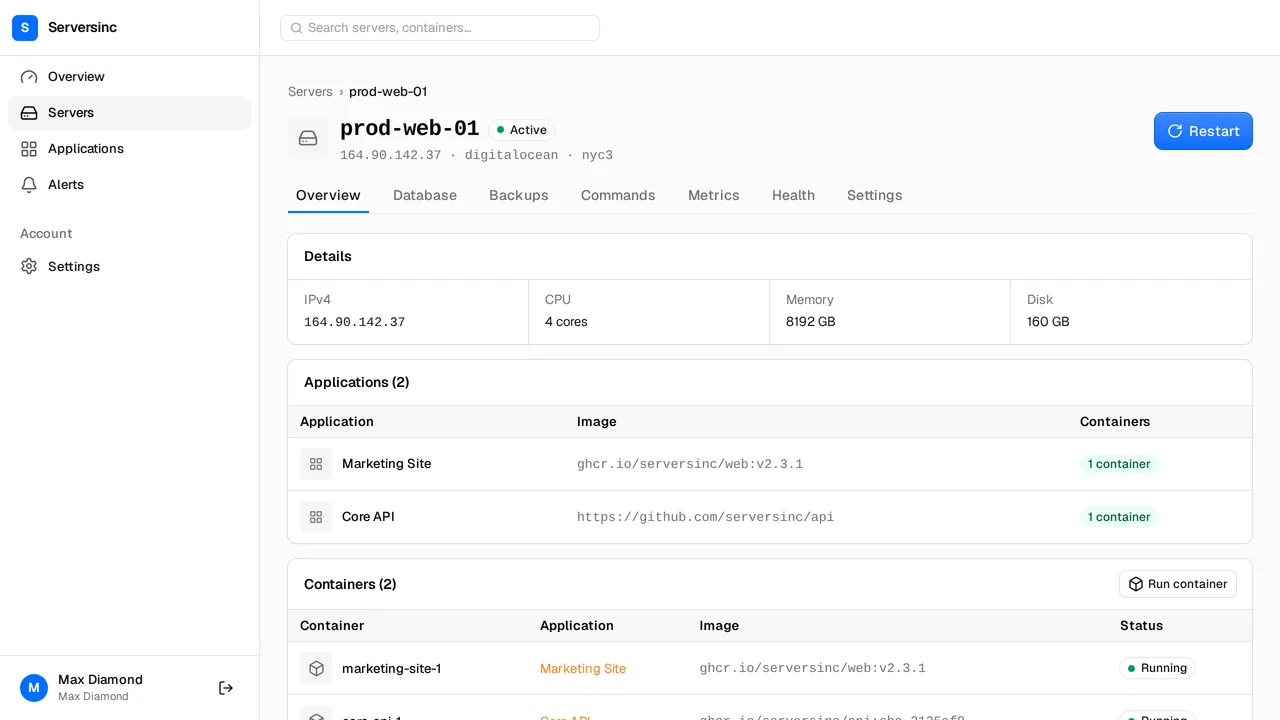
What every server walks in with
Import
Any Linux host
One command and bare metal, a VPS, or a box already serving traffic falls in line.
Provision
Your provider key
Spin up a machine with a cloud provider. The bill lands in your account, where it stays.
Metrics
CPU, memory, disk, network
Sampled continuously, plotted over time, with thresholds that raise alerts.
Health
Host hardening as toggles
Root SSH login, unattended upgrades, Fail2Ban and NTP time sync in one panel.
Firewall
An explicit port list
Open ports live in one list you edit here, instead of by hand in iptables.
Commands
Shell without SSH
Run a command through Serversinc. It captures the output and writes down who asked.
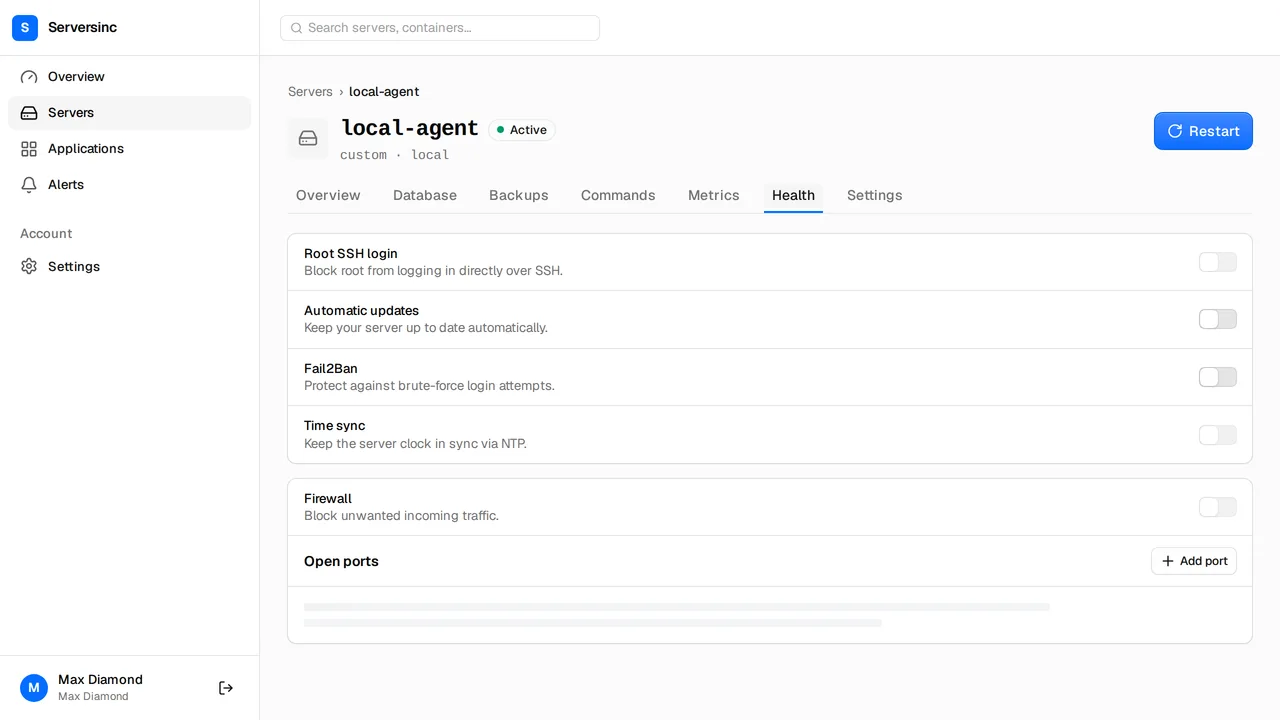
Health
Harden the host without ever opening a config file
Every server gets a health tab. The checks you would otherwise script yourself at midnight, each one a toggle.
- Root SSH login, unattended upgrades, Fail2Ban and NTP time sync in one panel
- Firewall with an explicit list of open ports, managed here instead of in iptables
- CPU, memory, disk and network metrics, with thresholds that raise alerts
Commands
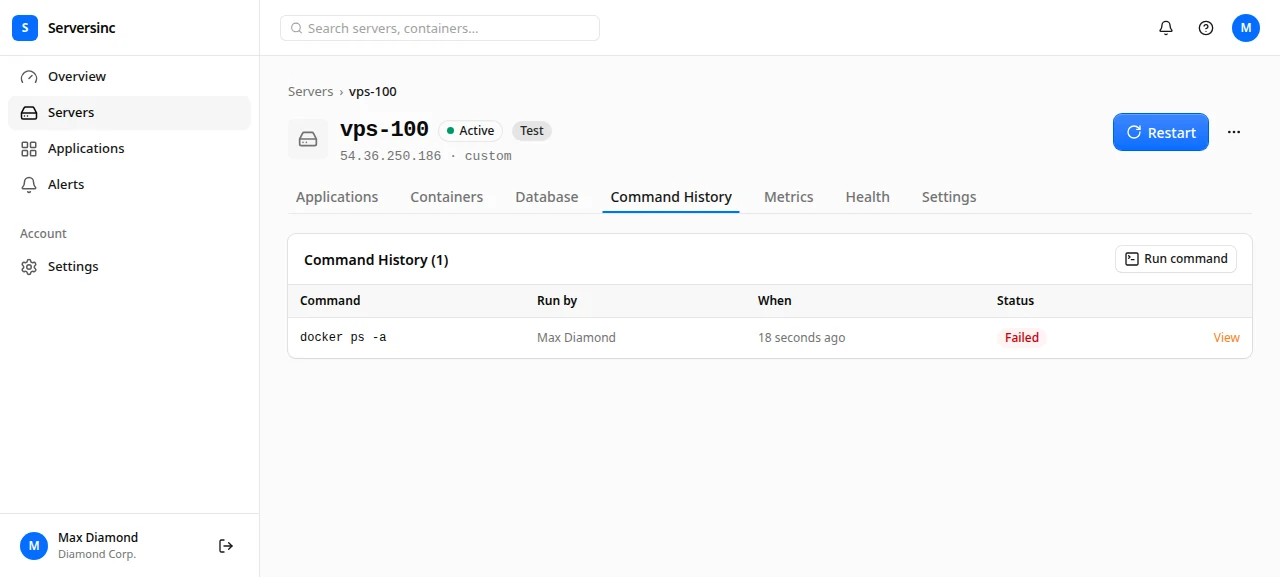
Run every command. Keep every receipt.
Send it through Serversinc. It runs on the box, captures every line, and writes down who asked. The days of 'who ran this' are done.
- Destructive commands ask for confirmation first
- Full history per server, failures and their output included
- The same from your terminal with sinc servers exec
Automation
Every server action is an API call, every single one
Features ship on the API first, so anything you can click you can also script. The sinc CLI wraps the same endpoints.
curl -s https://api.serversinc.io/v1/servers \
  -H "Authorization: Bearer $SERVERSINC_TOKEN" \
| jq '.data[] | {name, provider, status, ip}'$ sinc servers exec vps-100 "docker ps --format '{{.Names}}'"
Running on vps-100, waiting for output.
api
postgres
traefik
Command finished, exit 0. Recorded as cmd_01HV2J3K4M.Serversinc, or a wall of SSH tabs and broken dreams
What changes when the control plane is a platform, not your terminal history at 3am.
| Feature | Traditional | Serversinc |
|---|---|---|
| Access | SSH into each server, one at a time | One dashboard, one API, the whole roster |
| Metrics | Pick a stack, install it, maintain it forever | CPU, memory, disk and network, in the box already |
| Hardening | A runbook you stopped following | Toggles for SSH, updates, Fail2Ban and the firewall |
| Firewall | Hand-edit iptables on each box | One explicit list of open ports |
| Commands | Whatever survived in .bash_history | Every command, its output, and who ran it |
| Offline | Your panel goes down with the box | The dashboard runs off the box and does not flinch |
FAQs
Connect your first server
The install command takes about a minute. Then the box is yours to run from anywhere. The docs cover importing hosts, provisioning with your own key, and setting up alerts.